Reference
How do you use someone else's action in GitHub Actions?
Using somebody else's step, and choosing which version of it you trust. The three shapes of uses, the inputs an action declares under with, and what a tag, a branch, or a commit each costs you.
🧭 The short answer
With a uses line where a step would otherwise have run: uses: actions/checkout@v7 names the action's repository and the ref you trust. Its inputs go under with, and it runs on your job's machine with your token and your secrets.
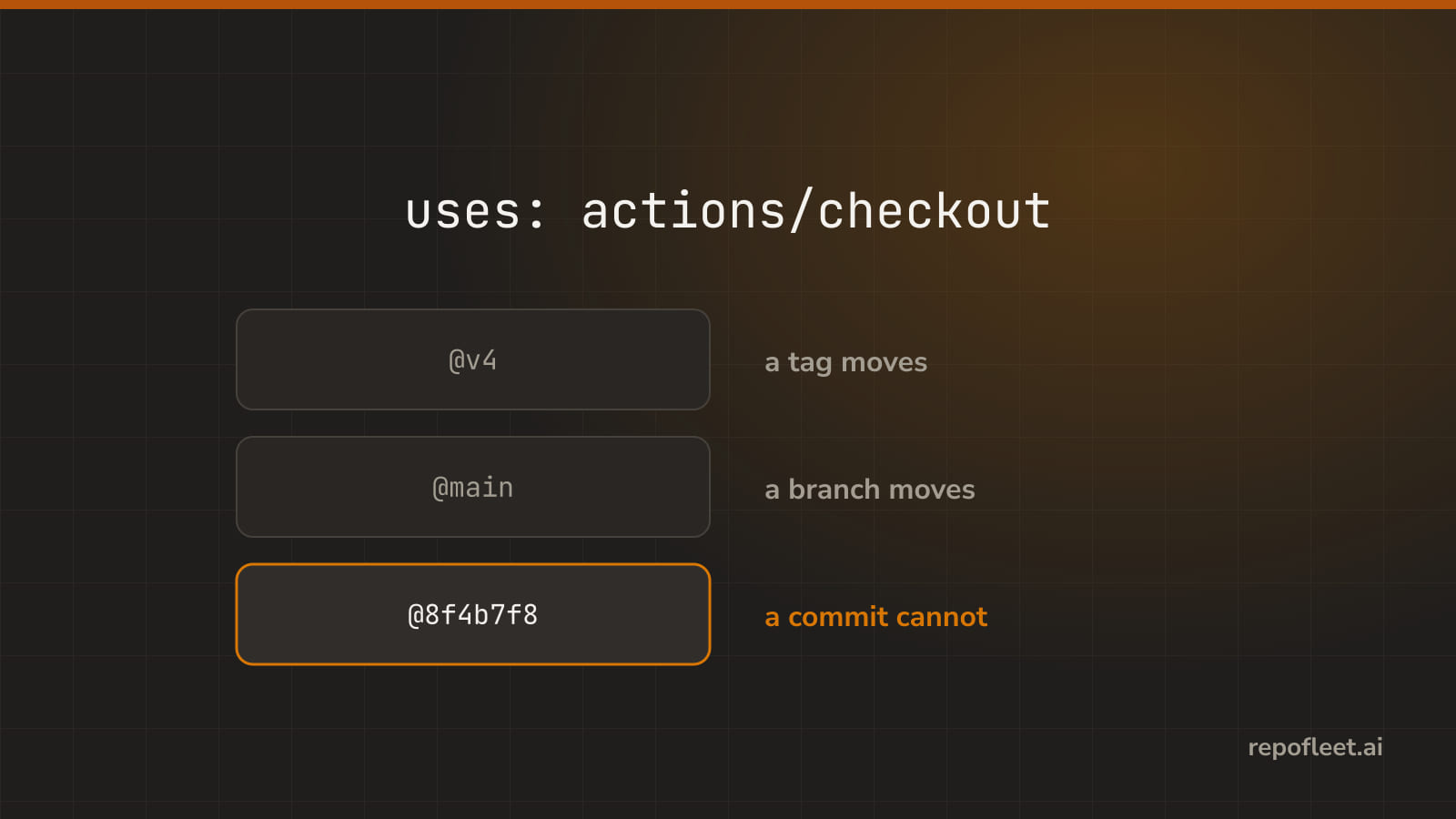
That ref after the @ is the whole trust decision. A tag moves whenever its author moves it, a branch moves on every push, and a commit never moves at all.
🧩 Action
- It is a step someone else wrote, named by
uses. It runs on your job's machine with your token and your secrets, sousesis you trusting a stranger's code with both. - Reach for it when the step is a solved problem: checking out the code, installing a toolchain, caching, uploading an artifact, deploying. Someone wrote it, tested it, and keeps it working.
- Lives in a step, as
useswhere a command would haverun. A step is one or the other, and what comes afterusesis the next term.
steps:
  - uses: actions/checkout@v7
  - uses: actions/setup-node@v6
    with:
      node-version: "22"
  - run: npm test
- Gets you in trouble when
- you pick an action on its stars. It runs with your
GITHUB_TOKENand every secret you hand it; read itsaction.yml, at least, before it reads your repository. - a step has both
usesandrun. It is one or the other, and GitHub refuses the file; the editor flips a step between the two kinds instead. - you expect
shellordefaults.runto reach it. An action brought its own runtime; those keys touchrunsteps only. - a Docker action lands on Windows or macOS. Container actions run on Linux only, and the job fails before the image is pulled.
- it needs the code and nobody checked it out. The runner starts empty;
actions/checkoutis the first step of nearly every job for that reason.
- you pick an action on its stars. It runs with your
- In the editor it is Uses an action on a step: Action names it, Version pins it, and What it is given holds its inputs.
🔗 uses
- It is where the action comes from: a repository, a path, or a Docker image.
- Reach for it when you add an action step; it is the one key the step cannot do without. What you write after it is where GitHub fetches the code from.
- Lives on the step. The same key on a job calls a whole reusable workflow instead of one action; this page is the step's.
steps:
  - uses: actions/checkout@v7
  - uses: actions/github-script@v7
    with:
      script: core.info("a public action, pinned to its major tag")
  - uses: ./.github/actions/notify
  - uses: docker://alpine:3.20
    with:
      args: echo "a Docker image, straight from Docker Hub"
- The three shapes, and where each one sends GitHub looking.
| Written as | What it is | Where GitHub finds it |
|---|---|---|
actions/checkout@v7 |
A repository at a ref; owner/repo/path@ref reaches an action in a subfolder of it |
That repository on GitHub, at that tag, branch, or commit |
./.github/actions/notify |
A path inside your own repository, with no ref | The folder in your checkout, so actions/checkout has to run first |
docker://alpine:3.20 |
A Docker image, pinned by its own tag or digest | Docker Hub, or the registry the image names; the job must run on Linux |
- A local action is read from the checkout, so its code is whatever the branch the run is on holds, and nothing else pins it.
- Gets you in trouble when
- there is no
@at all. GitHub takes the repository's default branch, whatever it holds today, and the editor warns that the step pins nothing. ./comes beforeactions/checkout. The runner's folder is empty until then, so the path is not there and the step fails at once.- you misspell the owner or the repository. GitHub says so only when the run starts; the editor asks GitHub as you type and says so first, naming the ref.
- the action's repository is private. GitHub fetches an action from a private repository only when that repository's Actions settings allow it.
- the image has no tag.
docker://alpineis whateverlatestmeans today, which is the branch problem again under a different name.
- there is no
- In the editor it is the Action field on a step: the actions this repository already runs come first, and a typed one is checked against GitHub as you go.
🎛️ with
- It is the inputs an action takes, and what happens when you get one wrong.
- Reach for it when the action has knobs: which Node version, which folder, how deep to fetch. Its
action.ymldeclares every one, andwithis where you turn them. - Lives under the step, as a mapping of
name: value. Every value arrives as a string, so"22"and22are the same thing to the action.
steps:
  - uses: actions/checkout@v7
    with:
      fetch-depth: 0
  - uses: actions/setup-node@v6
    with:
      node-version: "22"
      cache: npm
- An action declares its inputs like a form: some required, some with a default, now and then one deprecated. The editor renders exactly what the action declares, nothing more.
| The action declares | What it means for you | What the editor shows |
|---|---|---|
description |
What the input is for, in the author's words | The hint under the field |
required: true |
Leave it out and the action has nothing to work with | A required badge, and an error until you fill it in |
default |
What the action takes when you say nothing | Left out it is …, under the field |
deprecationMessage |
The input still works, and the author wants you off it | The message under the field, and a warning |
- Gets you in trouble when
- you leave a required input out. GitHub does not check
requiredfor you, so most actions fail the run on their first line,Input required and not supplied, and a few carry on with an empty value, which is worse. - you misspell an input. GitHub only warns in the log,
Unexpected input(s), and the action runs as if you had said nothing; the editor names it an error before you save. - you pass
trueand the action reads"true". Every input is a string; the action decides what to make of it, andyesmay well be nothing. - you bump the version and the inputs move with it. A new major can rename or drop an input; the editor re-reads what the new ref declares, so look at the block again.
- a deprecated input still works, which is how it stays in the file. It logs a warning on every run until the author removes it, and then it does nothing at all.
- you leave a required input out. GitHub does not check
- In the editor it is What it is given on an action step or a calling job: a field per declared input, a checkbox for a yes or no, a free row for the rest.
📌 Pinning
- It is choosing a tag, a branch, or a commit, and what each one means for you.
- Reach for it when you write any
usesat all. The ref after the@is the pin, and no ref is a pin to the default branch; the only question is how tight. - Lives after the
@:@v6is a tag,@maina branch,@d23441a…a commit. A comment beside a commit says which version it was, for the humans.
steps:
  - uses: actions/checkout@d23441a48e516b6c34aea4fa41551a30e30af803 # v6.1.0
  - uses: actions/setup-node@v6
- Every ref is one of three things, and each one moves on its own terms.
| You write | It is | It moves when | What it costs you |
|---|---|---|---|
actions/checkout@v7 |
A tag | Its author moves it; a major tag moves on every release | Nothing to update, and every change the author ships, good or bad |
actions/checkout@main |
A branch | Anyone pushes to it, finished or not | A run that breaks on a Tuesday for a change you never made |
actions/checkout@d23441a48e516b6c34aea4fa41551a30e30af803 |
A commit | Never | Updating it by hand, or letting Dependabot open the pull request |
v4is a tag, and its author can repoint it at new code tomorrow. A commit is the one ref that never moves, which makes it the safe answer for anything that touches your token.- Gets you in trouble when
- a major tag moves under you.
@v4is whatever its author calls v4 today; a fix lands, a bug lands with it, and nothing in your file changed. - a branch.
@maintakes every push, the half-finished ones included; the editor names the ref a branch and warns. - a patch tag.
@v4.2.2never gets the fix that ships in v4.2.3; the editor warns, and says to pin@v4for fixes or a commit for an exact build. - a SHA from a fork. Check the commit is in the action's own repository, not a copy with the same history and a surprise on top.
- a commit nobody updates. It is safe and it is old, and the
# v6.1.0beside it lies once someone bumps one and not the other; Dependabot'sgithub-actionsupdates move both.
- a major tag moves under you.
- In the editor the Action field says whether the ref is a tag, a branch, or a commit; Version beside it offers the released ones, and picking one rewrites the ref alone.
📚 Straight from GitHub
- uses on a step: every shape with an example, and versioned actions side by side.
- with, and inputs in the action's metadata, where required, default, and deprecationMessage are declared.
- Using third-party actions: the security hardening on pinning to a full-length commit SHA, and Dependabot version updates to keep the pins fresh.
- A Docker Hub action, and an action in the same repository as the workflow.