Reference
What starts a GitHub Actions workflow?
What starts a workflow and how to say when. Triggers, activity types, filters, cron, and manual runs, then one table of every event GitHub fires, what fires by default, and what narrows it.
🧭 The short answer
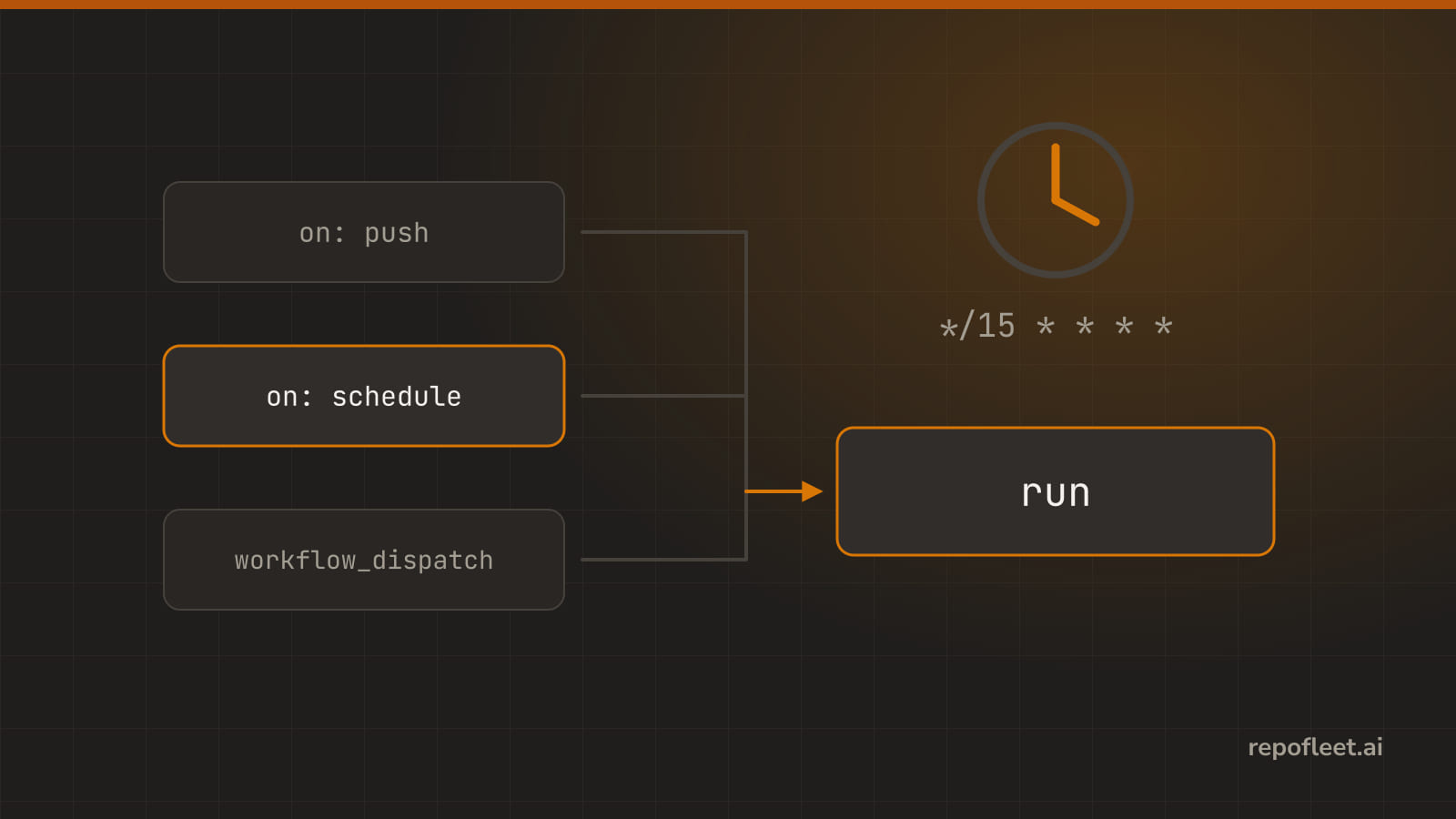
An event does, and the on block at the top of the file names which. A push, a pull request, a label landing on an issue, a cron schedule, or a button someone presses; no on, no run, ever.
Each event then fires on its own default activities, rarely all of them. types narrows which activities count, and branches, tags, and paths narrow further still.
⚡ Trigger
- It is the set of events that start a run. No trigger, no run, ever.
- Reach for it when you want a run at all. Every workflow names at least one event, and most name two or three.
- Lives under
on, at the top of the file: one event, a list of them, or a mapping that narrows each one.
on:
  push:
    branches: [main]
  pull_request:
  workflow_dispatch:
- Gets you in trouble when
- the file has no
on. GitHub reads it, runs nothing, and only complains once you open that workflow in the Actions tab. - a
pull_requestcomes from a fork. That run gets no secrets, on purpose, so a step that needs one fails there. - you switch to
pull_request_targetto get the secrets back. It runs your base branch's workflow with your token; check out the fork's code in it and the fork now holds your token. - you name the event and stop. Each one fires on its own default activities, rarely all of them; the next term says how to choose.
- the file has no
- In the editor it is the When it runs panel: one card per trigger, Add a trigger for the catalogue, Turn off to drop one.
🎯 Activity types
- They are the moments of an event you care about: opened, closed, labeled.
- Reach for it when an event fires more often than you want to pay for: an issue workflow that should run on
labeledand nothing else. - Lives under the event as
types, a list. Naming none is not all of them; each event has its own default set, and the table below has every one.
on:
  issues:
    types: [opened, labeled]
  pull_request:
    types: [opened, synchronize, reopened, ready_for_review]
- Gets you in trouble when
- you write no
typesonpull_requestand expect a review to run it. Its default is opened, synchronize, reopened; the other eighteen wait to be named. - you name a type the event does not have. GitHub refuses the file, and the editor's findings say which one.
- you pick
editedonissues. Every saved change to a title or body fires it, which is more often than it sounds.
- you write no
- In the editor they are the Which activities? chips on a trigger card; a dot marks the ones GitHub picks when you pick none.
🔍 Filters
- They are a further narrowing, by branch, tag, or path.
- Reach for it when a push to
docs/should not run the test suite, or onlymainshould deploy. - Lives under
pushasbranches,tags, andpaths, underpull_requestasbranchesandpaths, each with an-ignoretwin.workflow_runtakesbranchesandworkflows.
on:
  push:
    branches: [main, "release/**"]
    paths-ignore: ["**.md", "docs/**"]
- Gets you in trouble when
- you write
branchesandbranches-ignoreon the same event. GitHub takes one or the other; put a!pattern in one list instead. tagsis filled in andbranchesis not. Only tag pushes run it then; an empty branch list is not every branch.pathsskips a pull request that touches nothing listed, and a required check waits on it forever. Run something small on those paths instead.- you put a filter on
issues. It takes none; only the events with something in the last column of the table do.
- you write
- In the editor each is a token field on the trigger card, Branches, Tags, Files changed; Only these or All but these picks which list it writes.
⏰ Cron
- It is a five-field clock for running on a schedule.
- Reach for it when nothing in GitHub marks the moment: a nightly build, a sweep every fifteen minutes.
- Lives under
scheduleas a list ofcronentries: minute, hour, day of month, month, day of week. Cron is UTC unless atimezonebeside it says otherwise; your Tuesday 9am is not GitHub's.
on:
  schedule:
    - cron: "7-59/15 * * * *"
    - cron: "17 3 * * 1-5"
      timezone: Europe/London
- Gets you in trouble when
- the workflow is on a branch. A scheduled run only ever runs on the default branch, which surprises everyone once.
- the minute is 0. Every cron on GitHub fires on the hour, the queue is longest there, and a run is delayed or dropped; pick an odd minute.
- you reckon in local time. Cron is UTC, and it will not follow daylight saving with you.
- the interval is under five minutes. Five is the shortest GitHub runs.
- nobody pushes for sixty days. GitHub switches the schedule off on a public repository, and the Actions tab has a button to switch it back on.
- In the editor it is the On a timer card: Runs at holds the cron, read back in words beneath it, and every preset sits off the hour.
🖱️ Manual
- It is starting a run by hand, with inputs you declare.
- Reach for it when a person should choose the moment: a deploy, a one-off sweep, or a workflow you are still writing.
- Lives under
workflow_dispatch, withinputsnaming what the form asks: each astring,boolean,choice,number, orenvironment. A step reads one asinputs.name.
on:
  workflow_dispatch:
    inputs:
      environment:
        description: Where to deploy
        type: choice
        options: [staging, production]
        default: staging
      dry_run:
        description: Print what would change and stop
        type: boolean
        default: true
- Gets you in trouble when
- the Run workflow button is missing. GitHub shows it once the file is on the default branch; the branch picker on it then chooses what runs.
- you start it with
gh workflow runand skip a required input. The call is refused; give it a default, or pass it with-f. - you compare a
booleaninput with the text'true'. It is a real boolean underinputs, soinputs.dry_run == 'true'is false whatever the box said; compare withtrue, or use it bare.
- In the editor it is the Run it by hand card and its Inputs rows: name, what it is for, type, default, required. Start a run at the top dispatches the saved file with them.
📋 Event reference
- Every event the editor's catalogue offers, in its order: what fires it, the activity types it fires by default and then the rest you can name, and the filters it takes.
- The three retired classic project events are left out here, as the catalogue leaves them out.
| Event, and what fires it | Activity types, defaults first | Filters |
|---|---|---|
workflow_dispatch Someone presses Run workflow in the repository's Actions tab. |
none | none |
schedule Runs on a cron schedule, read in UTC. |
none | none |
workflow_call Another workflow calls this one and passes it inputs. |
none | none |
repository_dispatch Something outside GitHub posts an event to start this workflow. |
none | none |
issues An issue is opened, labelled, assigned, closed, or otherwise touched. |
All by default: opened, edited, deleted, transferred, pinned, unpinned, closed, reopened, assigned, unassigned, labeled, unlabeled, locked, unlocked, milestoned, demilestoned, typed, untyped, field_added, field_removed | none |
issue_comment A comment lands on an issue or on a pull request. |
All by default: created, edited, deleted | none |
discussion A discussion is opened, answered, or edited. |
All by default: created, edited, deleted, transferred, pinned, unpinned, labeled, unlabeled, locked, unlocked, category_changed, answered, unanswered | none |
discussion_comment A comment lands on a discussion. |
All by default: created, edited, deleted | none |
label A label is created, edited, or deleted in the repository. |
All by default: created, edited, deleted | none |
milestone A milestone is created, closed, edited, or deleted. |
All by default: created, closed, opened, edited, deleted | none |
pull_request A pull request is opened, gets new commits, or is closed. |
By default opened, synchronize, reopened. Also assigned, unassigned, labeled, unlabeled, edited, closed, converted_to_draft, ready_for_review, locked, unlocked, milestoned, demilestoned, review_requested, review_request_removed, auto_merge_enabled, auto_merge_disabled, enqueued, dequeued | branches, branches-ignore, paths, paths-ignore |
pull_request_review Someone approves, requests changes, or comments on the whole pull request. |
All by default: submitted, edited, dismissed | none |
pull_request_review_comment Someone comments on a line of a pull request's diff. |
All by default: created, edited, deleted | none |
pull_request_target Like a pull request, but running the base branch's code with its secrets. Never check out the fork's code here. |
By default opened, synchronize, reopened. Also assigned, unassigned, labeled, unlabeled, edited, closed, converted_to_draft, ready_for_review, locked, unlocked, review_requested, review_request_removed, auto_merge_enabled, auto_merge_disabled | branches, branches-ignore, paths, paths-ignore |
merge_group A group of pull requests is queued to merge together. |
All by default: checks_requested | none |
push Commits land on a branch or a tag. |
none | branches, branches-ignore, tags, tags-ignore, paths, paths-ignore |
create Someone creates a branch or a tag. |
none | none |
delete Someone deletes a branch or a tag. |
none | none |
gollum Someone creates or updates a page in the repository's wiki. |
none | none |
branch_protection_rule A branch protection rule is created, edited, or deleted. |
All by default: created, edited, deleted | none |
release A release is published, edited, or deleted. |
All by default: published, unpublished, created, edited, deleted, prereleased, released | none |
registry_package A package is published or updated in the registry. |
All by default: published, updated | none |
deployment Something creates a deployment. |
none | none |
deployment_status A deployment posts a new status. |
none | none |
page_build GitHub Pages rebuilds the site. |
none | none |
workflow_run A workflow you name is requested, starts, or completes. |
By default requested, completed. Also in_progress | workflows, branches, branches-ignore |
check_run One check is created, asked for again, or completes. |
All by default: created, rerequested, completed, requested_action | none |
check_suite A suite of checks is requested or completes. |
All by default: completed, requested, rerequested | none |
status A commit gets a new status from an integration. |
none | none |
fork Someone forks the repository. |
none | none |
watch Someone stars the repository. |
none | none |
public A private repository is made public. |
none | none |
- In the editor the catalogue behind Add a trigger offers the same list in the same order, a star on the ones most workflows use.
📚 Straight from GitHub
- Events that trigger workflows, the reference the table above follows.
- on, and types for the activities.
- Filters, and the filter pattern cheat sheet.
- schedule, the cron event, and its syntax.
- workflow_dispatch, its inputs, and running a workflow by hand.
- pull_request_target, and why a fork's code never runs under it.