Reference
What are a workflow, a job, and a step in GitHub Actions?
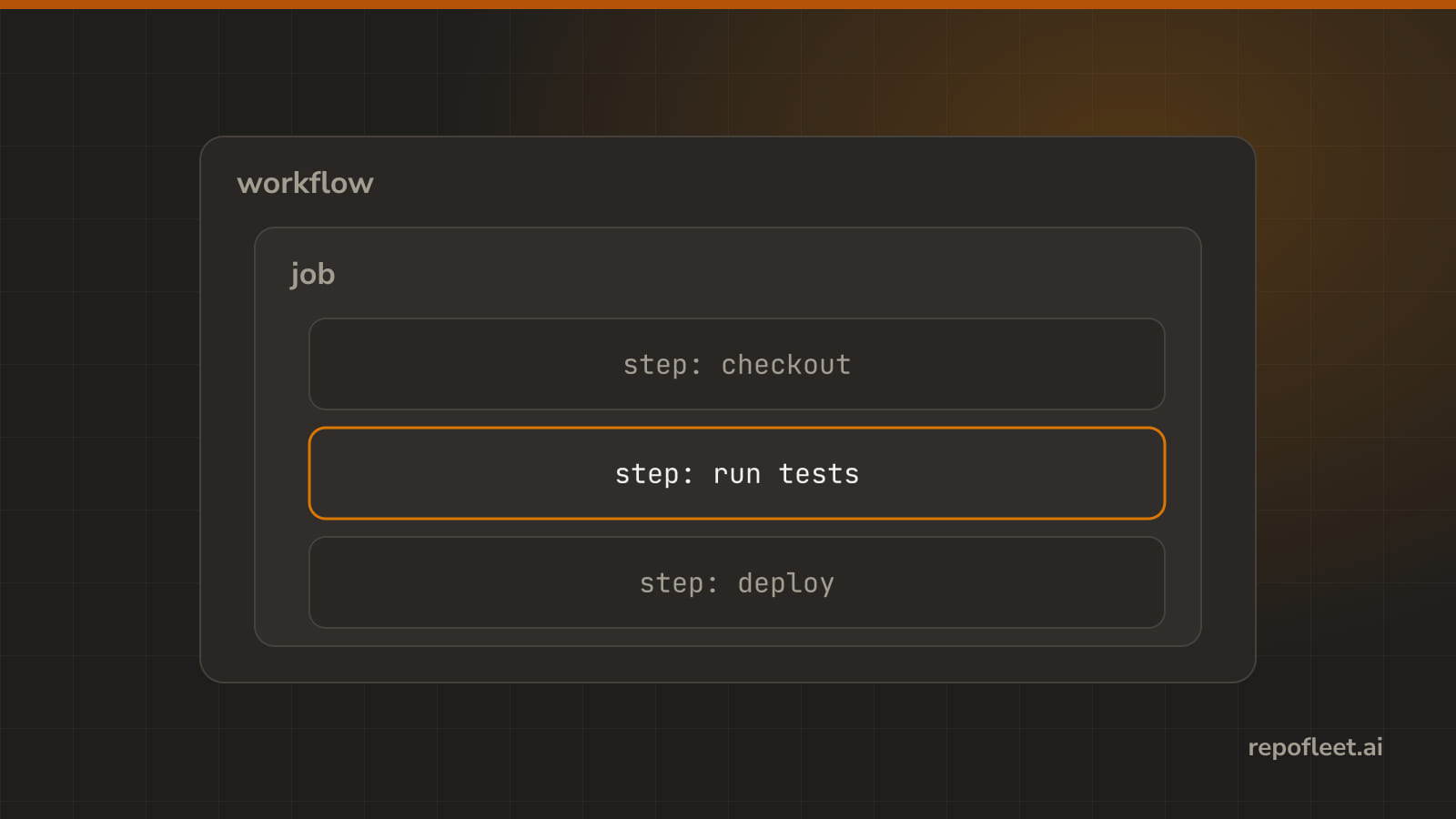
A workflow holds jobs, a job holds steps, and a step does one thing. What each is, where it lives, what env and defaults set around them, what the editor calls each one, and what gets you in trouble.
🧭 The short answer
A workflow is a file in .github/workflows that says when to run and what to do. It holds jobs, and each job gets its own machine. A job holds steps, and a step does one thing: a command you write, or an action someone else wrote.
Two more keys set values around those three. env names variables, defaults names the shell and folder a command starts in. Five keys, and that is the whole file.
📄 Workflow
- It is a file in
.github/workflowsthat says when to run and what to do. One file is one workflow, and a repository can hold as many as it likes. - Reach for it when something should happen without anyone typing: on a push, on a label, every fifteen minutes.
- Lives at the top of the file. Everything else on this page sits inside it.
name: Ship the oldest issue

on:
  schedule:
    - cron: "7,22,37,52 * * * *"

jobs:
  ship:
    runs-on: ubuntu-latest
    timeout-minutes: 10
    steps:
      - run: echo "one job, one step, four times an hour"
- Gets you in trouble when
- the file sits anywhere but straight under
.github/workflows. A subfolder is not read, and nothing says so. - it has no
on. A workflow nothing triggers never runs, and the Actions tab stays quiet about it. - you edit a schedule on a branch. A scheduled run reads the default branch only, every time.
- the file sits anywhere but straight under
- In the editor it is the card at the top of the Visual tab, This workflow, with its triggers under When it runs.
🧱 Job
- It is a batch of steps that runs on one machine. Jobs run at the same time unless you say otherwise.
- Reach for it when work wants its own machine, its own permissions, or has to wait for other work: build, then test, then deploy.
- Lives under
jobs, named by the key you give it. That key is its id, and it is whatneedspoints at.
jobs:
  build:
    runs-on: ubuntu-latest
    steps:
      - run: npm run build
  test:
    needs: build
    runs-on: ubuntu-latest
    steps:
      - run: npm test
- Gets you in trouble when
- two jobs expect to share a disk. Each gets a fresh machine, so
buildleaves nothing fortestto find. Hand things over with an artifact or an output. - you assume they run in the order written. They start together; only
needsmakes one wait. - one fails. Every job that needs it is skipped, unless its
ifsays otherwise.
- two jobs expect to share a disk. Each gets a fresh machine, so
- In the editor each job is a card under What it does, headed by its name; Runs on is the machine, Waits for is
needs.
👣 Step
- It is one thing done in order: a command you write, or an action someone else wrote.
- Reach for it when the job has a next thing to do: check out the code, install, build, test. One thing per step keeps the log readable.
- Lives in a job's
stepslist, so each one starts with a dash.
steps:
  - uses: actions/checkout@v7
  - name: Test
    run: npm test
- Gets you in trouble when
- one fails. The steps after it do not run and the job goes red, unless a step says
continue-on-errororif: always(). - a step needs a file an earlier step made, and the two are in different jobs. Steps share a machine; jobs do not.
- a step has both
runanduses. It is one or the other, and GitHub refuses the file.
- one fails. The steps after it do not run and the job goes red, unless a step says
- In the editor steps are the numbered rail under Steps, in order on each job card; each one Runs a command or Uses an action.
🏷️ env
- It is a set of values every step can read, set on the workflow, a job, or a step. The closest one wins.
- Reach for it when a value is used in more than one place, or should be said once at the top: a version, a folder, a flag.
- Lives at any of the three levels. A command reads one as
$NAME; an expression reads it asenv.NAME.
env:
  NODE_VERSION: "22"

jobs:
  test:
    runs-on: ubuntu-latest
    env:
      NODE_VERSION: "20"
    steps:
      - run: echo "$NODE_VERSION"
- Gets you in trouble when
- a job sets a name the workflow already set. The job's value wins, quietly, and you spend an hour debugging the workflow's.
- you paste a real password into it. The file lives in the repository, so now the password does too. Point at a secret instead, as
${{ secrets.NAME }}. - you expect a value to reach the next job. It does not; every job starts with its own
env.
- In the editor it is the Environment variables card for the workflow, and the section of the same name on a job or a step.
⚙️ defaults
- It is what a step gets when it says nothing: which shell, and which folder to start in.
- Reach for it when every command in the file should run in the same folder or under the same shell, so no step has to repeat it.
- Lives on the workflow or on a job, under
defaults.run. A step naming its own shell or folder wins.
defaults:
  run:
    shell: bash
    working-directory: src/web
- Gets you in trouble when
- the folder does not exist until a step creates it. Every
runstep starts there, the first one included. - you expect it to reach a
usesstep. It touchesrunsteps only; an action does not read it. - a command names no shell and you assumed bash. On a Windows runner that is PowerShell, and the syntax is not the same.
- the folder does not exist until a step creates it. Every
- In the editor it is What every command here runs under on the This workflow card; a command step carries the same two fields.
📚 Straight from GitHub
- Workflows, and the workflow syntax every key on this page comes from.
- jobs, one per key under it.
- steps, the list a job runs in order.
- env, and variables more widely.
- defaults, and defaults.run for the two things it sets.