Reference
How do you run GitHub Actions jobs in order, or many at once?
Jobs all start at once until you say otherwise. needs puts them in a line, a matrix turns one job into many, and outputs carry a value between them. The run count worked out, the quoting trap, and what a wide matrix really costs.
🧭 The short answer
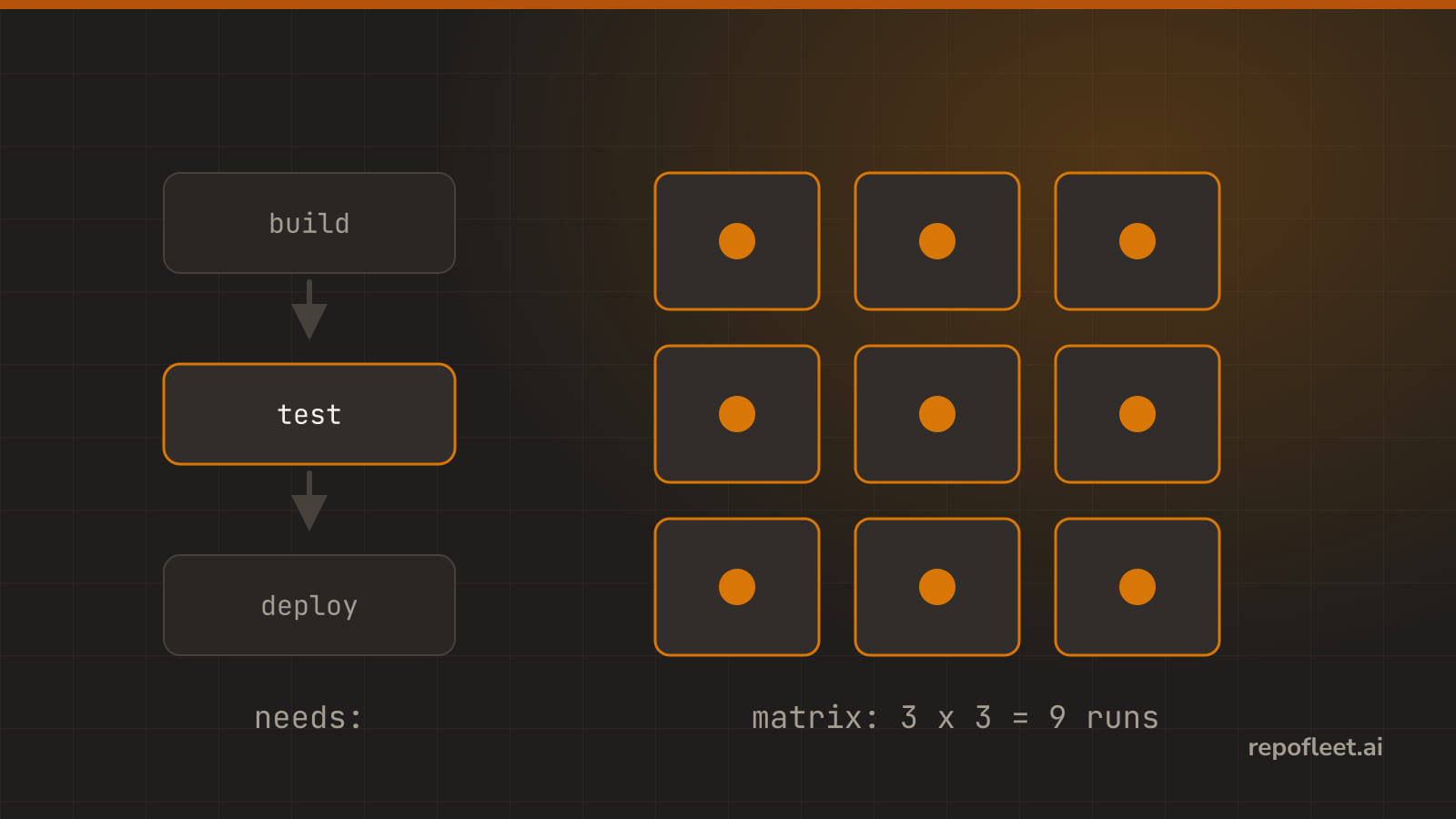
Every job starts at once unless needs names the jobs it waits for, and GitHub works the order out from there. A matrix goes the other way, running one job once for every value you name, each on a machine of its own.
Nothing survives the trip between jobs, since each one gets a fresh machine. A job's outputs are the one thing that does.
🔗 needs
- It is the key that puts jobs in a line. Jobs run at the same time unless something says otherwise, and
needsnames the jobs that have to finish before this one starts. - Reach for it when a job uses what another one produced: a deploy that must not start before the build, a release that waits on the tests.
- Lives on a job, as one job id or a list of them. GitHub works the order out from there, so you never write the order itself.
on: push
permissions:
  contents: read
jobs:
  build:
    runs-on: ubuntu-latest
    timeout-minutes: 10
    steps:
      - uses: actions/checkout@v7
      - run: npm run build
  test:
    needs: build
    runs-on: ubuntu-latest
    timeout-minutes: 10
    steps:
      - uses: actions/checkout@v7
      - run: npm test
  deploy:
    needs: [build, test]
    runs-on: ubuntu-latest
    timeout-minutes: 10
    steps:
      - run: ./deploy.sh
- Waiting, and what a failure does to it.
- Jobs are parallel by default.
buildand any job that names nothing start together; onlyneedsholds one back, which is the whole reason this page exists. - A failing job stops the jobs that need it. They do not run at all, and the run ends red without them.
- Unless they say otherwise.
if: always()runs the job whatever happened above it, andif: failure()runs it only when something broke, which is how a cleanup or a notification job gets written. - A skipped job is not a passed one, so a job needing it skips too, all the way down the chain.
needswaits, and it also opens a door: only a job you list can be read asneeds.<job>.outputs.- Gets you in trouble when
- two jobs wait for each other.
buildneedsdeployanddeployneedsbuild, so neither can ever start, and the editor refuses it as you type:Jobs "build", "deploy" need each other in a cycle. - a job needs itself. Same thing with one job, and just as easy to write by copying a job and forgetting to edit the
needs. - the name is a typo.
needstakes job ids, not job names, soneeds: Buildwhen the id isbuildfails the run before anything starts. - you read an output from a job you never listed. The editor says so:
needs.build is used, but job "deploy" does not list "build" in needs. - you use it to save money. A chain of five jobs is five machines, five checkouts, and five cold caches; jobs that share nothing are cheaper as steps in one job.
- two jobs wait for each other.
- In the editor the job card's Waits for chips list every other job in the workflow, and nothing ticked means this job starts as soon as the workflow does.
🎛️ matrix
- It is the same job run once for every value you name. One job in the file, many jobs in the run, each on a machine of its own.
- Reach for it when the same work has to happen across versions, operating systems, or configurations, and you would otherwise copy the job.
- Lives under
strategy.matrixon a job, as axes of values, withincludeandexcludebeside them. Every other field of the job can readmatrix.<name>.
on: push
permissions:
  contents: read
jobs:
  test:
    runs-on: ${{ matrix.os }}
    timeout-minutes: 10
    strategy:
      matrix:
        os: [ubuntu-latest, windows-latest]
        node: ["20", "22", "24"]
        exclude:
          - os: windows-latest
            node: "20"
        include:
          - os: macos-latest
            node: "24"
    steps:
      - uses: actions/checkout@v7
      - uses: actions/setup-node@v6
        with:
          node-version: ${{ matrix.node }}
      - run: npm test
- The three keys, and what the workflow above comes to.
| Key | What it does | The example above |
|---|---|---|
| An axis | Every value runs the job once, and the axes multiply together | os by node is 2 by 3, so 6 |
exclude |
Drops every combination holding all the values it names | Drops Windows on 20, so 5 |
include |
Folds into the combinations it fits, and adds a run when it fits none | macOS on 24 fits nothing, so 6 |
- The matrix above comes to 6 jobs: 6 combinations, 1 taken out, and 1 added back that no axis named.
- Gets you in trouble when
- you leave your version numbers unquoted. YAML reads
8.10as a number and hands the job8.1, and you spend an afternoon on it; write"8.10"and it stays what you typed. - you expect the combinations to share something. Every one is a separate machine with a separate checkout, so a file one writes is a file the others never see.
- the matrix quietly gets wide. Three axes of five is 125 billed runs from one push, and GitHub itself stops at 256 jobs from a single matrix.
includeoverwrites nothing. An entry naming a value an axis already decided differently is a new run, not an edit to an existing one, which is how six becomes seven by accident.- an axis ends up empty. A matrix with a
[]axis names no combination at all, so the job runs zero times rather than once.
- you leave your version numbers unquoted. YAML reads
- In the editor the job's How many times it runs section holds the axes as rows, and its note counts the result: six jobs, one for every combination.
🛑 fail-fast
- It is what happens when one combination fails: GitHub either cancels the rest of the matrix, or lets them all report.
- Reach for it when you want the whole picture from one run: turn it off and every combination finishes, so you learn it is only Windows that breaks, not everything.
- Lives under
strategy, besidematrix, astrueorfalse. Nothing written meanstrue, which is GitHub's own default.
on: push
permissions:
  contents: read
jobs:
  test:
    runs-on: ubuntu-latest
    timeout-minutes: 10
    strategy:
      fail-fast: false
      matrix:
        node: ["20", "22", "24"]
    steps:
      - uses: actions/checkout@v7
      - uses: actions/setup-node@v6
        with:
          node-version: ${{ matrix.node }}
      - run: npm test
- Gets you in trouble when
- you chase a failure with it on. The first red combination cancels the others, so you never find out whether one version broke or all three did.
- you turn it off on a wide matrix. Every combination now runs to the end, and you pay for all of them to tell you the same thing.
- you read a cancelled job as a passing one. It is neither: the run is red, and the combination simply never finished.
- you write it on a job with no matrix, where it governs nothing at all and reads like a safety net that is not there.
- In the editor that section's Stop the other combinations as soon as one fails flag, whose hint says nothing written here means yes, GitHub's own default.
🚦 max-parallel
- It is how many of a matrix's jobs run at the same time. Empty means as many at once as GitHub has runners for.
- Reach for it when the matrix would flood something: one shared test database, an API that rate limits you, or a fixed pool of self-hosted runners.
- Lives under
strategy, besidematrix, as a whole number. It caps this job's matrix alone, not the workflow, and not your account.
on: push
permissions:
  contents: read
jobs:
  test:
    runs-on: ubuntu-latest
    timeout-minutes: 20
    strategy:
      max-parallel: 2
      matrix:
        shard: [1, 2, 3, 4, 5, 6]
    steps:
      - uses: actions/checkout@v7
      - run: npm test -- --shard=${{ matrix.shard }}/6
- Gets you in trouble when
- you reach for it to save money. A matrix of thirty is thirty billed runs whatever this says; it changes how many run at once, never how many run.
- you set it to 1. The matrix becomes a queue, and the job now takes the sum of every combination instead of the longest one.
- you forget the machines are shared anyway. Your account has its own concurrent job limit, and this number cannot lift it, only lower it.
- you cap a matrix that talks to one deploy target. Two at once is still two, so a shared resource wants a
concurrencygroup, not a smaller cap.
- In the editor the Run at most field beside that flag, whose hint reads: empty means as many at once as GitHub has runners for.
📤 outputs
- They are the one thing that survives the trip between jobs. Every job gets its own machine, so nothing else does.
- Reach for it when a later job needs something an earlier one worked out: a version number, an image tag, or whether anything changed at all.
- Lives on the producing job as
outputs, each value read from a step's own output, and read by a waiting job asneeds.<job>.outputs.<name>.
on: push
permissions:
  contents: read
jobs:
  version:
    runs-on: ubuntu-latest
    timeout-minutes: 10
    outputs:
      tag: ${{ steps.read.outputs.tag }}
    steps:
      - uses: actions/checkout@v7
      - id: read
        run: echo "tag=$(git describe --tags --always)" >> "$GITHUB_OUTPUT"
  publish:
    needs: version
    runs-on: ubuntu-latest
    timeout-minutes: 10
    steps:
      - run: ./publish.sh "${{ needs.version.outputs.tag }}"
- Two halves, and they have to agree: the step writes to
$GITHUB_OUTPUTunder an id, the job lifts that intooutputs, and the next job reads it throughneeds. - Gets you in trouble when
- the reading job does not list the writer in
needs. There is nothing to read, and the editor names it:needs.version is used, but job "publish" does not list "version" in needs. - the step has no
id.steps.<id>.outputshas nothing to point at, so the job output is empty text and the next job carries on with it. - nothing was written to
$GITHUB_OUTPUT. An output that never got set is an empty string, not an error, and it fails much further down where it makes no sense. - a matrix job writes outputs. Every combination writes to the same name and the last one home wins, so you get a value you cannot trace to a run.
- the value has newlines in it. A plain
name=valueline stops at the first one, and a multi-line value needs a delimiter block instead.
- the reading job does not list the writer in
- In the editor the job card's Outputs section takes a name and the expression that fills it, saying what a job waiting on this one reads.
📚 Straight from GitHub
jobs.<job_id>.needs: naming the jobs that must finish first, and what a failure above does.jobs.<job_id>.strategy.matrix: axes,include,exclude, and the 256-job ceiling.- Running variations of jobs in a workflow: the worked examples for expanding and adding to a matrix.
jobs.<job_id>.strategy.fail-fastandmax-parallel: cancelling the rest, and capping how many run at once.jobs.<job_id>.outputsand step outputs: writing a value in one job and reading it in the next.