Run and operate
Runs and logs
What the Runs page lists, the window it reads, and where every printed line lives.
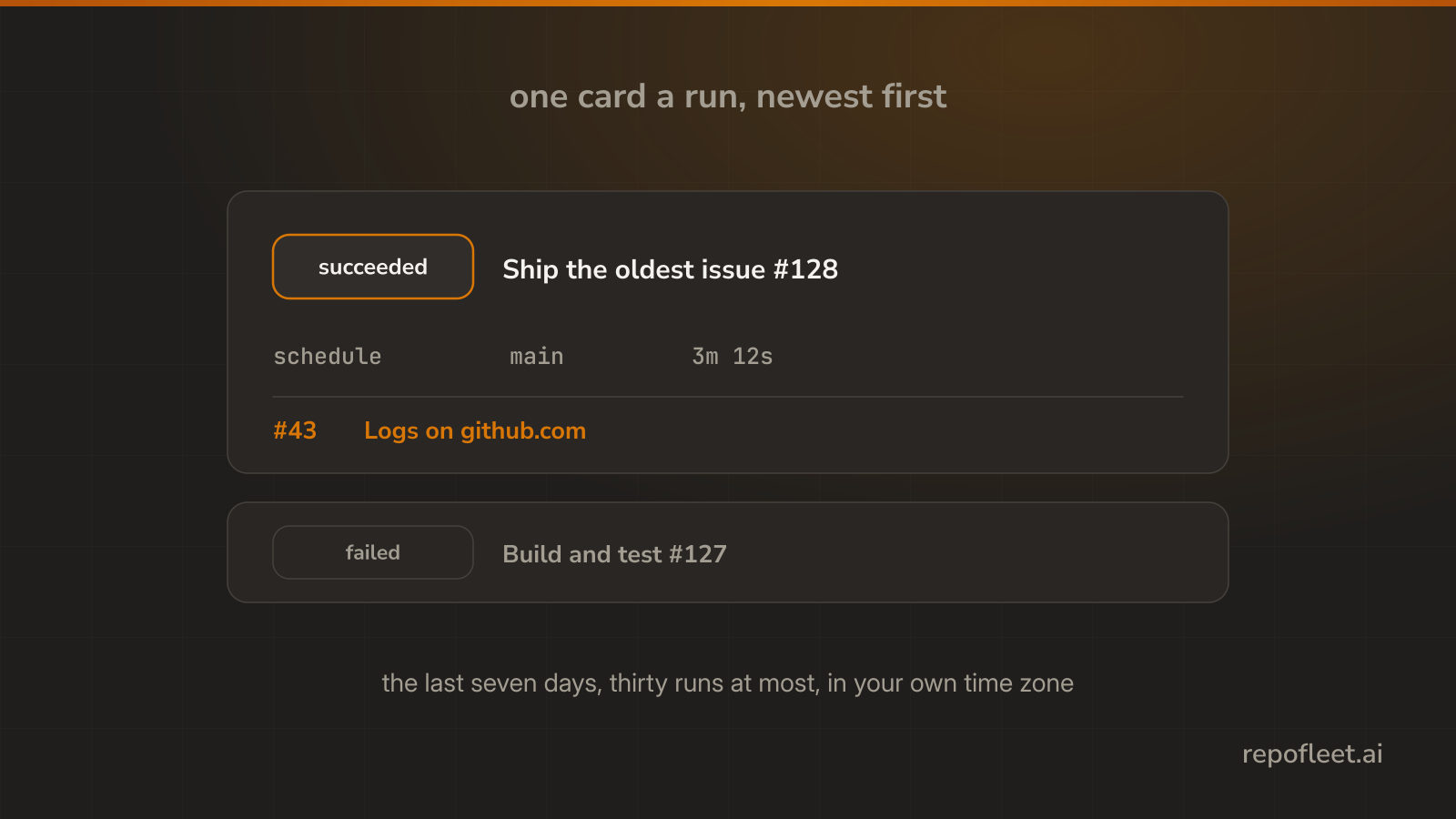
Read a card
Runs lists what has run in one repository, newest first, one card a run.
- The pill is the run's state: queued, running, or how it ended.
- What started it is the event behind it: a schedule, a push, a label, or somebody pressing the button.
- The branch and how long it took sit beside it, and times read in your own time zone.
- Any pull request it opened is linked from the card.
- Logs opens the run on github.com, which is where every line it printed lives.
The window it reads
- The last seven days, read from GitHub once when the page opens.
- Thirty runs at most are listed; a busier week says how many it held back.
- GitHub serves only its newest runs at once, and a read that hit that says so too.
- A quiet week names when the repository last ran; one that has never run is told what would start it.
Start one yourself
- Start a run in the editor dispatches the file on a branch you choose, with the inputs its
workflow_dispatchtrigger declares. - It runs what is committed, not what is on your screen, so unsaved edits are refused.
- No
workflow_dispatchtrigger, no button. Add one and save first.